
A Complete Field Guide to Brand Resiliency
Introduction: The Unseen Force of Your Brand
Your logo is the first impression, the silent handshake, and the shorthand for your business values. In the age of AI, creating a vibrant, high-energy design with “glassy” 3D effects and complex lighting is easier than ever. However, a truly great logo isn’t just designed for a smartphone screen; it’s designed to work everywhere—from a favicon to a fabric patch.
This guide explores the do’s and don’ts of design, ensuring your brand “pops” on a screen and stays sharp on a t-shirt.
1. The Building Blocks: Color and Lines
Color conveys mood, but strategy ensures it remains consistent across all media.
The Do’s and Don’ts of Color Palettes
| Feature | The DO’s | The DON’Ts |
| Strategy | Limit Your Palette. Focus on 2-3 main colors. A simple palette is more memorable (e.g., Starbucks green). | Don’t Overcomplicate. Avoid a “fruit cocktail” of 10 colors. More colors lead to visual noise and higher print costs. |
| Science | Use Color Psychology. Blues convey trust; yellows spark optimism. Align your colors with your brand voice. | Don’t Forget Grayscale. Your logo must work in black and white for invoices, faxes, or single-color stamps. |
| Practicality | Specify CMYK & Pantone. Provide exact ink mixes (CMYK) and spot color codes (PMS) for flawless matching. | Don’t Rely on RGB. RGB is for light/screens. These “electric” colors often look flat or muddy when printed. |
The Do’s and Don’ts of Complexity
| Feature | The DO’s | The DON’Ts |
| Simplicity | Prioritize Clear Lines. Bold, clean shapes and clever use of negative space (like the FedEx arrow) are key. | Avoid Fine Details. Intricate gradients and tiny overlapping elements turn into an indistinguishable blotch when scaled down. |
| Scale | Design for Versatility. A logo should be recognizable on a tiny button or a massive billboard. | Don’t Forget Fabrication. Tiny lines are a nightmare for etching, stamping, or cutting. Bold is always safer. |
2. The Personality: Typography
Typography is where your logo gets its voice. A cool font is useless if it isn’t legible.
- Pairing: Limit yourself to 1 or 2 fonts. Use a “personality” font for the name and a clean “helper” font for the tagline.
- Readability: If your logo is on a fast-moving vehicle, can people read it? Avoid overly ornate scripts for your primary name.
- Legalities: Always ensure you have a commercial license. Using a “free” font without permission can lead to expensive legal disputes later.
3. The Reality Check: Digital vs. Physical Media
This is the “Resolution Gap” where many AI-generated designs fail.
Digital Arena (Web, Apps, Social)
- The Tech: Uses RGB color and Raster files (fixed pixels).
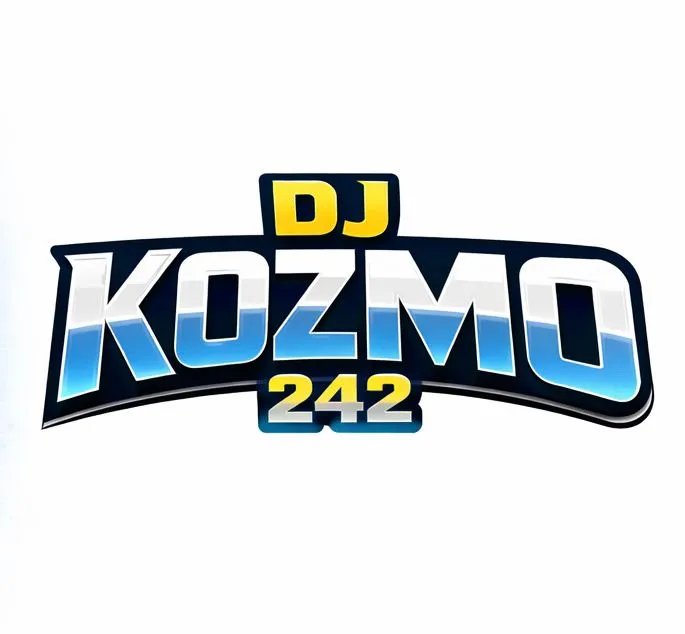
- The Benefit: Screens are forgiving. You can use 3D effects, “glass” textures, and intense neon colors because they are made of light.
- The Risk: Low-resolution files (72 DPI) look great on a phone but “break” when printed.
Printed Arena (Business Cards, Banners, Signs)
- The Tech: Uses CMYK ink and Vector files (mathematical paths).
- The Reality: High-quality printing requires 300 DPI. If you take a standard AI output and put it on a banner, it will look pixelated.
- The Fix: You must vectorize AI designs—essentially redrawing them so they can scale to the size of a skyscraper without losing sharpness.
4. The Fabric Challenge: Apparel & Embroidery
Printing on a t-shirt is a world apart from printing on paper.
- Screen Printing: Requires separate screens for each color. To keep costs down, your design should be limited to 2–4 solid colors. It cannot handle the complex 3D “glow” seen in many AI designs.
- Embroidery: This is the most restrictive format. Your logo is recreated with thread.
- No Gradients: Thread cannot “fade” like ink.
- Boldness is Required: Fine lines will cause the thread to “clump.”
- Sans-Serif Wins: Small, intricate serif fonts are almost impossible to embroider cleanly.
5. The Non-Negotiable Step: File Formats
If your designer (or AI tool) doesn’t provide these, your branding is incomplete:
- Vector Files (.AI, .EPS, .SVG): The “Golden Ticket.” These are infinitely scalable and required for all professional printing and signage.
- Raster Files (.PNG, .JPG): Use these only for web profiles, email signatures, or PowerPoint. Never use these for large-scale print.
Build for the Long Run
Don’t fall into the trap of choosing a flashy, complex design that looks cool today but fails to print tomorrow. A professional logo is a strategic asset—it should be resilient, scalable, and powerful across every medium your brand touches.






Perfect. Adding a checklist to the end of your post gives the reader a concrete “call to action” and makes the educational tool feel like a professional resource they can actually use.
🏁 The Logo Print-Readiness Checklist
Before you send that file to the printer or the embroidery shop, run through this final check to avoid costly mistakes.
✅ Technical Specs
- [ ] Is it Vector? Do you have an
.AI,.EPS, or.SVGversion? (If it’s just a.JPG, it’s not print-ready). - [ ] Is the Resolution 300 DPI? If using a raster image (like for a brochure photo), is the quality high enough for paper?
- [ ] Are the Colors CMYK? Have you converted your “electric” RGB screen colors to their “ink-friendly” CMYK equivalents?
- [ ] Are Fonts Outlined? Did your designer “create outlines” so the printer doesn’t need to own your specific font to open the file?
✅ Scalability & Legibility
- [ ] The “Business Card” Test: Shrink the logo to 1 inch wide. Is the tagline still readable?
- [ ] The “Billboard” Test: If you blew this up to 10 feet wide, would the edges stay sharp, or would they look “fuzzy”?
- [ ] The Grayscale Check: If you photocopy this in black and white, does the design still make sense, or do the colors bleed together?
✅ Fabrication Compatibility
- [ ] For Embroidery: Are the lines thick enough for a needle and thread? (Avoid tiny serifs and thin scripts).
- [ ] For Screen Printing: Have you limited the design to 2-4 solid colors to keep production costs down?
- [ ] No “Ghost” Gradients: Have you removed soft glows or transparent shadows that ink can’t replicate?
Pro Tip:
If you aren’t sure, ask for a “Press Proof.” Most professional printers will provide a single sample or a digital mockup. It is much cheaper to fix a color issue on a digital proof than it is to re-print 500 t-shirts!
FAQ
Q: Why does my logo look blurry when I print it? A: This is usually due to a Resolution Gap. Most digital files are 72 DPI (dots per inch), but professional printing requires 300 DPI. Additionally, if your logo is a “Raster” file (made of pixels), stretching it will cause pixelation. Always use “Vector” files for high-quality printing.
Q: Can I use the same logo for my website and t-shirt embroidery? A: Not always. Websites allow for complex gradients and 3D effects, but embroidery requires simplified versions with solid colors and bold lines. Thread cannot replicate fine glows or shadows, so you should have a simplified “vector” version of your logo specifically for physical fabrication.
Q: What is the best file format for a professional logo? A: For print, the “Golden Tickets” are AI, EPS, or SVG (Vector formats). For digital use, a high-resolution PNG (with a transparent background) is best for social media and websites. Avoid using JPEGs for logos as they don’t support transparency and lose quality over time.
Q: Why do my logo colors look “dull” on paper compared to my screen? A: This happens because of the Color Gamut shift. Screens use RGB (light), which is very vibrant. Printers use CMYK (ink), which has a smaller color range. To ensure accuracy, design your logo using CMYK color codes or Pantone matching systems before sending it to the press.